Our verdict — 8.6/10. Granola is the best AI meeting notepad for people who live in back-to-back calls and want clean, structured notes without a bot barging into the meeting. It captures your device audio locally, enhances your own rough notes with AI, and lets you chat with everything you've ever discussed. The catch is trust: a minority of users report silent capture failures, and there's no live "it's recording and working" reassurance. Buy it if you want the least intrusive, best-designed notes tool going. Be cautious if a single missed recording would be a disaster — run a backup for high-stakes calls.
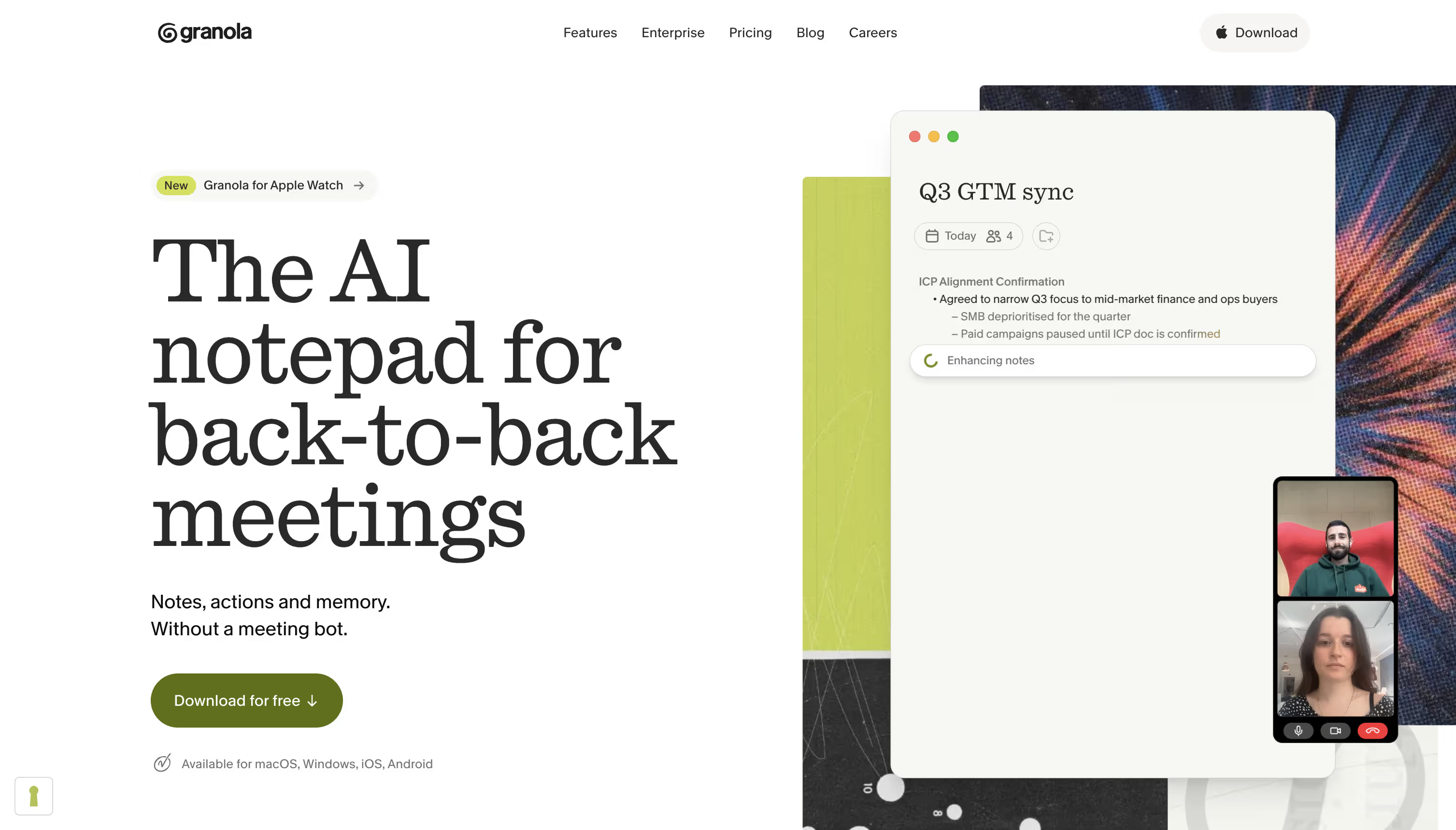
Granola is an AI notepad for meetings — "notes, actions and memory, without a meeting bot," as it puts it. Instead of sending a bot to join your call, it listens to your device audio in the background, then turns your sparse jottings into a full, structured write-up. It's available on macOS, Windows, iOS and Android, with a new Apple Watch companion.
This review is for the people actually deciding: founders, consultants, sales teams, researchers and anyone drowning in meetings weighing Granola against Otter, Fathom and Fireflies. By the end you'll know how well it works, where it doesn't, what it costs, and whether it's still the one to beat in 2026.
Granola's edge isn't transcription — it's that it makes your notes better without a bot ever joining the call.
Quick verdict
| Quick verdict | At a glance |
|---|---|
| Overall rating | ⭐ 8.6 / 10 |
| Best for | Back-to-back meetings, founders, consultants, sales |
| Starting price | Free · Business from $14/user/mo |
| Free plan | Yes — genuinely usable Basic tier |
| Platforms | macOS, Windows, iOS, Android, Apple Watch |
| Meeting bot | None — captures device audio locally |
| AI features | Note enhancement + chat across all meetings |
| Reliability | Mostly solid; some reports of silent capture failures |
| Value for money | Strong — the free and Business tiers are well-priced |
| Not recommended for | Zero-risk recording needs without a backup |
| Winner badge | 🏆 Best bot-free AI meeting notepad |
| ChooseMyStack recommendation | ✅ Recommended — with a backup for high-stakes calls |
💡 Pro tip: Granola shines when you still type a few rough notes yourself — it enhances what you capture rather than replacing it. Go in with three bullet points and you'll get a far better write-up than sitting back and expecting magic.
What is Granola?
Granola is a bot-free AI meeting assistant. It runs quietly on your device, captures the meeting audio locally, and combines it with the notes you type to produce a clean, structured summary — decisions, action items and context — moments after the call ends.
The core idea is restraint. There's no bot in the participant list, no "recording" banner for everyone to see, and no awkward consent moment on every call. You keep taking notes the way you always did; Granola just makes them dramatically better.
Ideal users are people whose calendars are wall-to-wall meetings: founders, consultants, account executives, product managers, investors and researchers. It suits both solo professionals on the free plan and teams that want a shared, searchable memory of everything discussed.
Major use cases: client and sales calls, 1:1s and team syncs, user interviews, investor conversations, and lectures or seminars for students. It's built for spoken, live conversations rather than as a general transcription service for uploaded files.
Pros and cons
| ✅ Pros | ❌ Cons |
|---|---|
| No meeting bot — nothing joins your call | Some users report silent capture failures |
| Enhances your own notes rather than replacing them | No strong live "it's working" reassurance |
| Excellent, distraction-free design | Depends on device audio — headphone setups can trip it up |
| AI chat across every past meeting | Not built for bulk uploaded-file transcription |
| Genuinely usable free plan | Advanced AI + integrations need the Business tier |
| Works on Mac, Windows, iOS, Android + Apple Watch | Privacy model (local capture) can confuse first-timers |
| Fast, structured summaries seconds after a call | Team admin controls sit on Enterprise |
| Deep integrations (Notion, Slack, HubSpot, Attio, Zapier) | No standalone web app — it's a native app |
| Free for 12 months for students | Consent is on you, since there's no visible bot |
| MCP + API access on paid tiers | Best value only unlocks at Business |
Who Granola is best for
- Founders and executives in back-to-back meetings who want notes without the ceremony of a bot.
- Consultants and client-facing roles who need clean, shareable write-ups fast.
- Sales teams that want call notes and action items synced to the CRM.
- Researchers and PMs running user interviews who want to stay present.
- Students — Granola is free for 12 months, ideal for lectures and seminars.
Who should avoid Granola
- Anyone who can't tolerate a single missed recording without a backup running — the silent-failure reports matter here.
- Teams needing bulk transcription of uploaded audio/video files — Granola is built for live calls.
- People who want a visible bot and explicit recording consent baked into every meeting.
- Android-first power users expecting full parity — the experience is strongest on Mac and iOS.
ChooseMyStack score
| Criterion | Score | Why |
|---|---|---|
| Note quality | 9.2 | Best-in-class enhancement of your own notes |
| Ease of use | 9.4 | Almost nothing to learn; stays out of the way |
| Reliability | 7.6 | Mostly solid, but silent-failure reports pull it down |
| Integrations | 8.6 | Notion, Slack, HubSpot, Attio, Zapier, MCP, API |
| Privacy model | 8.8 | No bot, local capture, opt out of model training |
| Value | 8.8 | Strong free tier; fair Business pricing |
| Platform coverage | 8.4 | Mac, Windows, iOS, Android, Apple Watch |
| Overall value | 8.6 | The best-designed notepad, with one real caveat |
How we evaluated Granola
Our evaluation considers hands-on use alongside Granola's published pricing and feature set, and a read of recurring user sentiment across communities like Reddit. We weighed note quality, ease of use, reliability, integrations, privacy and value, and compared each against the leading alternatives. Where reliability concerns appear repeatedly in user reports, we surface them honestly rather than smoothing them over.
Features
AI meeting notes without a bot
Granola's signature feature: it captures device audio locally and turns your rough notes into a structured summary — no bot joining the call. Strength: unobtrusive and fast. Weakness: because capture is local and invisible, there's little live confirmation it's working.
Note enhancement
Rather than dumping a raw transcript on you, Granola enhances the notes you type. Jot a few bullets and it fills in context, decisions and action items. It's the difference between a wall of text and a usable write-up.
AI chat across meetings
Ask questions across every meeting you've had — "what did we agree with this client last quarter?" — and Granola answers from your own history. On paid tiers it uses more advanced AI models.
Templates and folders
Custom note templates keep write-ups consistent (sales call, 1:1, interview), and shared folders let teams collaborate on a common memory of what was discussed.
Integrations, MCP and API
Business adds advanced integrations with Notion, Slack, HubSpot, Attio, Affinity and Zapier, plus MCP integration across your apps and API access — so notes and actions flow into the tools you already use.
Platforms and Apple Watch
Native apps for macOS, Windows, iOS and Android, plus a new Apple Watch companion to capture in-person conversations from your wrist. Multi-language support is included even on the free tier.
Reliability: the honest part
This is where a real review has to be candid. Granola's local-capture model is elegant, but a minority of users have reported silent failures — the app appearing to capture a meeting and then producing no notes, with no error or alert until it's too late. For a notes tool, silent failure is the worst kind, because you only discover it after the conversation is gone.
In everyday use most people don't hit this, and it's often tied to unusual audio routing (certain headphone or virtual-audio setups). But the pattern shows up often enough that it's fair to flag:
- For casual and internal calls, the risk is low and the convenience is worth it.
- For high-stakes calls — client work, interviews, advisory sessions — run a backup recorder or a second tool until you trust your setup.
- Check your audio setup early: do a throwaway test call with your exact headphone configuration before relying on it live.
None of this makes Granola a bad tool — it's still our top pick for design and note quality. But "looks like it's working" is not the same as "is working," and a good review says so.
Granola pricing
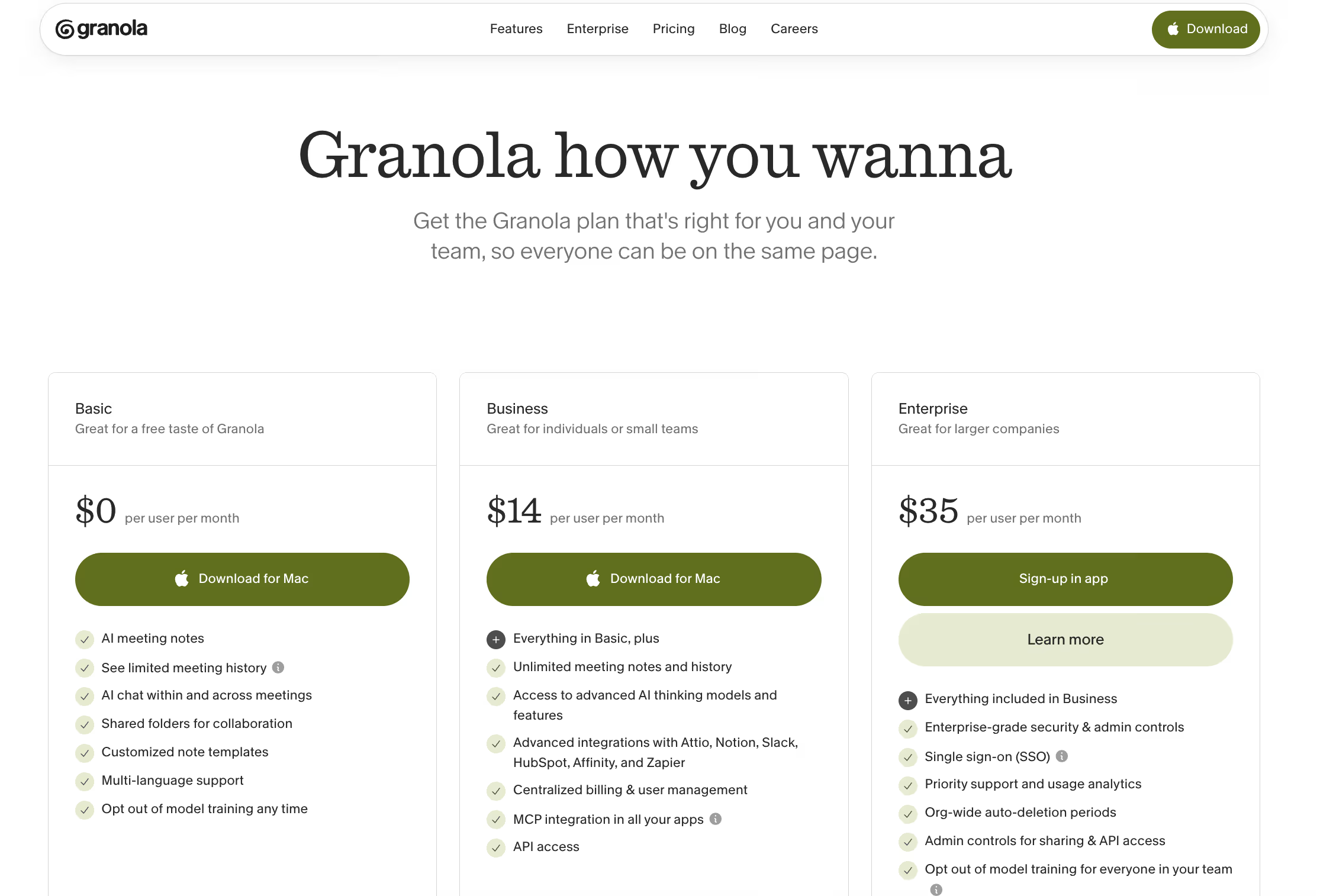
Pricing is per user, per month. Figures reflect Granola's plans in 2026 — always confirm current pricing on Granola's site.
| Plan | Price | Best for | What you get |
|---|---|---|---|
| Basic | $0 | Individuals trying it out | AI meeting notes, limited history, AI chat, shared folders, custom templates, multi-language |
| Business | ~$14/user/mo | Individuals & small teams | Unlimited notes & history, advanced AI models, integrations (Notion, Slack, HubSpot, Attio, Zapier), centralized billing, MCP, API |
| Enterprise | ~$35/user/mo | Larger companies | Everything in Business + enterprise security, SSO, priority support, org-wide auto-deletion, admin controls |
Best value: Business is the sweet spot — unlimited history plus integrations and API for the price of a couple of coffees. Upgrade to Enterprise only when SSO, admin controls and security governance become requirements.
Free offers worth knowing:
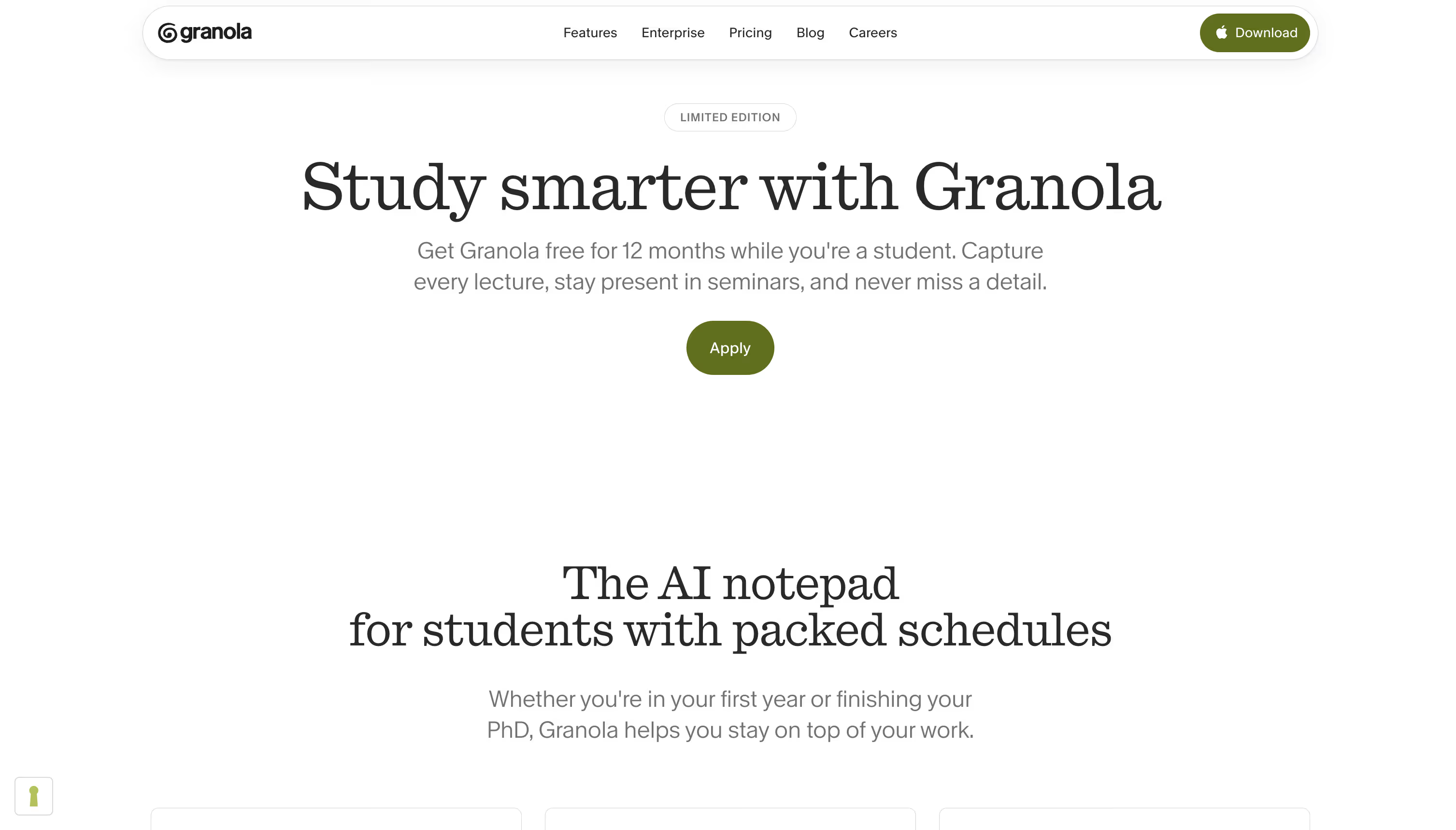
- Students get Granola free for 12 months (apply at granola.ai/students) — excellent for lectures and seminars.
- Startups can get a free year of Granola Business if eligible (under ~30 employees, pre-seed/seed), with no equity required.
Granola vs competitors
| Granola | Otter | Fathom | Fireflies | |
|---|---|---|---|---|
| Approach | Bot-free, enhances your notes | Live transcription | Meeting bot + recording | Meeting bot + recording |
| Best for | Notes without a bot | Transcripts & search | Free call recording | CRM-heavy sales teams |
| Free plan | Yes | Yes | Yes (generous) | Yes |
| Starting paid | ~$14/user/mo | ~$17/user/mo | Free / paid tiers | ~$10/user/mo |
| Meeting bot | No | No (app-based) | Yes | Yes |
| AI chat | Across all meetings | Yes | Yes | Yes |
| Design | Best-in-class | Functional | Clean | Functional |
Granola vs Otter: Otter is transcription-first; Granola is notes-first and better designed. Granola vs Fathom: Fathom records the call with a bot and has a strong free tier; Granola is more discreet and better for note-takers. Granola vs Fireflies: Fireflies is deeper for CRM-driven sales ops; Granola is calmer and more personal.
Real user feedback summary
Aggregated sentiment across Reddit and other communities points to consistent themes (summarized, not quoted):
- Most loved: the bot-free approach, clean design, and how well it enhances your own notes.
- Common praise: staying present in meetings, fast structured summaries, and cross-meeting AI chat.
- Recurring concern: occasional silent capture failures with no error — the single most cited criticism.
- Platform history: early users wanted Windows and mobile; both now exist, widening its appeal.
- Overall: widely regarded as the best-designed meeting notepad, with reliability the main asterisk.
Security and privacy
Granola's no-bot model keeps recordings off other participants' radar and captures audio locally on your device. You can opt out of model training on every tier, and Business/Enterprise add centralized controls, SSO, org-wide auto-deletion and admin governance. One honest caveat: because there's no visible bot, consent is your responsibility — tell participants you're capturing notes where laws or norms require it.
Final verdict
Granola is still the AI meeting notepad to beat on design and note quality. For founders, consultants, sales teams and students, nothing else makes staying present in meetings this effortless — and the free plan plus the 12-month student offer make it easy to try.
Skip it — or back it up — if: a single silently missed recording would be a serious problem. Until you've proven your audio setup is solid, run a backup for high-stakes calls.
Key takeaways: start on the free plan, upgrade to Business for unlimited history and integrations, still type a few notes yourself for the best output, and test your headphone setup before trusting it live. With that one caveat handled, Granola is a confident Recommended.
Frequently asked questions
Is Granola AI worth it in 2026?
Does Granola use a meeting bot?
Is Granola reliable?
How much does Granola cost?
Is Granola free for students?
Granola vs Otter — which is better?
What platforms does Granola support?
Related articles
- Best AI chatbots — the assistants we test daily, ranked.
- Clay vs Apollo vs ZoomInfo — sales-stack tools that pair well with meeting notes.
- Browse all software deals — current offers and startup credits.